

Plan trips · Execute on the road
Plan and execute multi-day road trips without the chaos
Organize every day, stop, and route in one place—then navigate with Apple Maps when it is time to drive.
- Never retype a day of stops into Maps
- Always know the next stop
- Trip sync is optional, trip by trip
- Built for unreliable serviceLists stay usable when the network does not cooperate.
- Day-based beats pin dumpsYour multi-day story stays readable on the road.
- Made for driversPlanning you can trust—then hand off to Apple Maps.
Built for road trippers, families, national park weekends, and van life—anyone who lives by the next stop, not the next spreadsheet row.
iPhone only. iCloud and sharing are optional and controlled per trip in the app.
See your trip, day by day
Real screens from the app: your trip list, multi-day flow, route detail, Maps handoff, and checklists—so the plan stays calm before you drive.
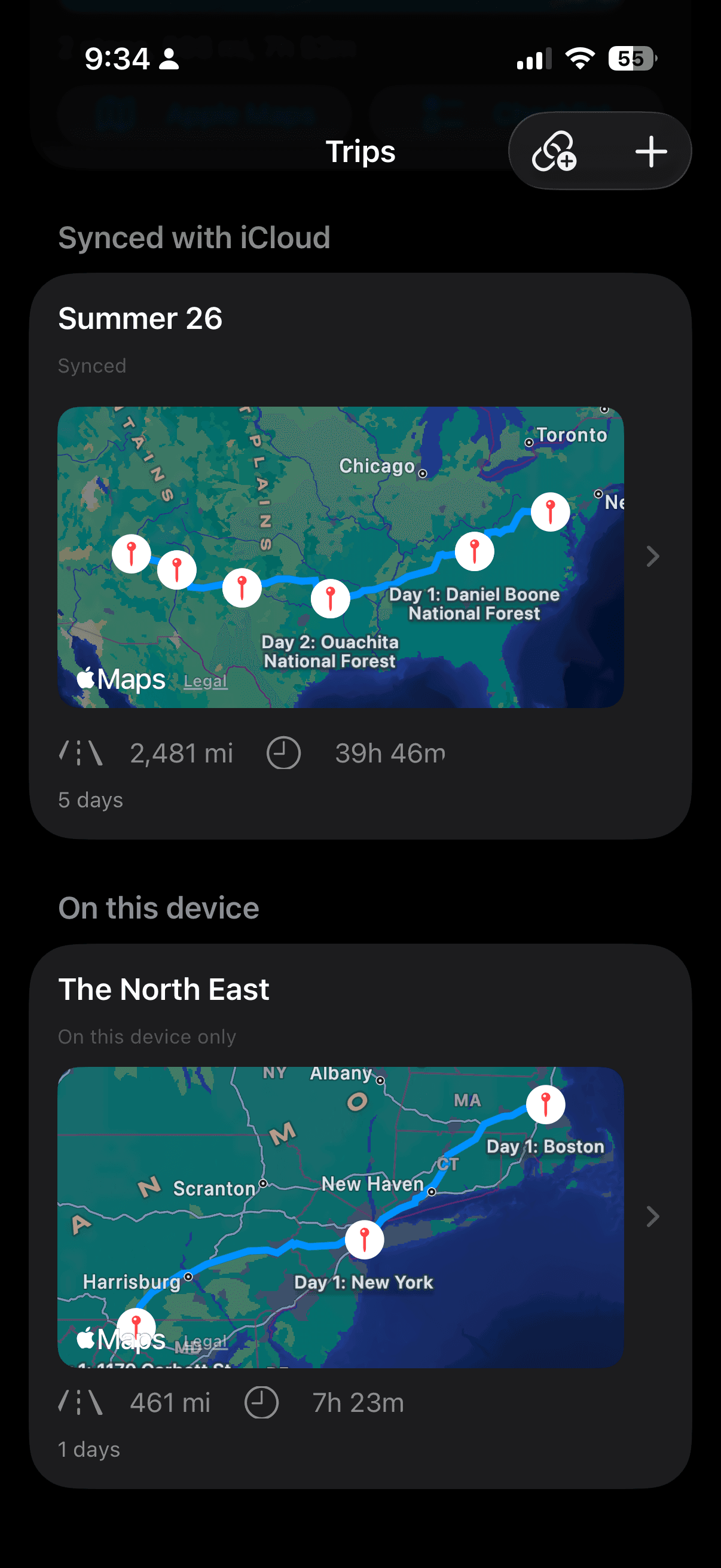
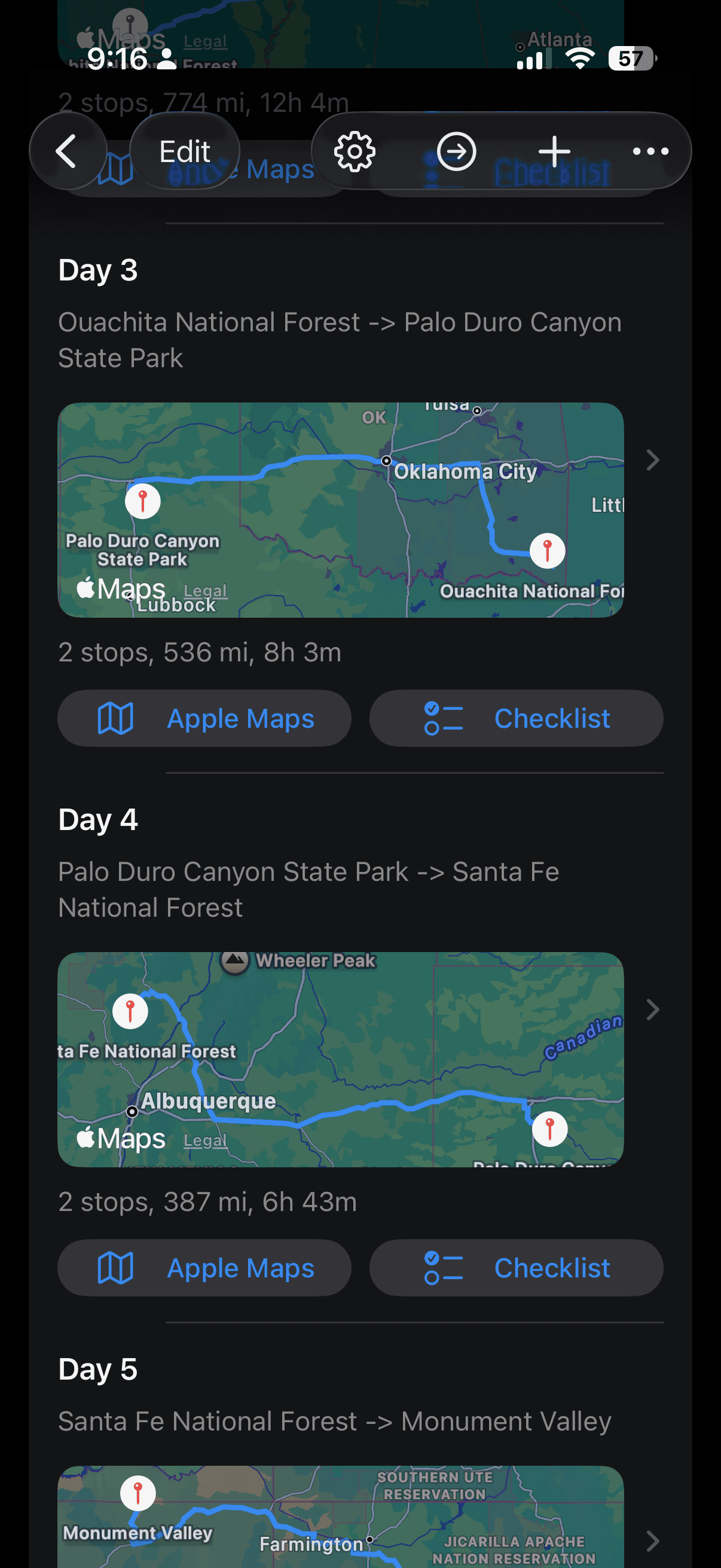
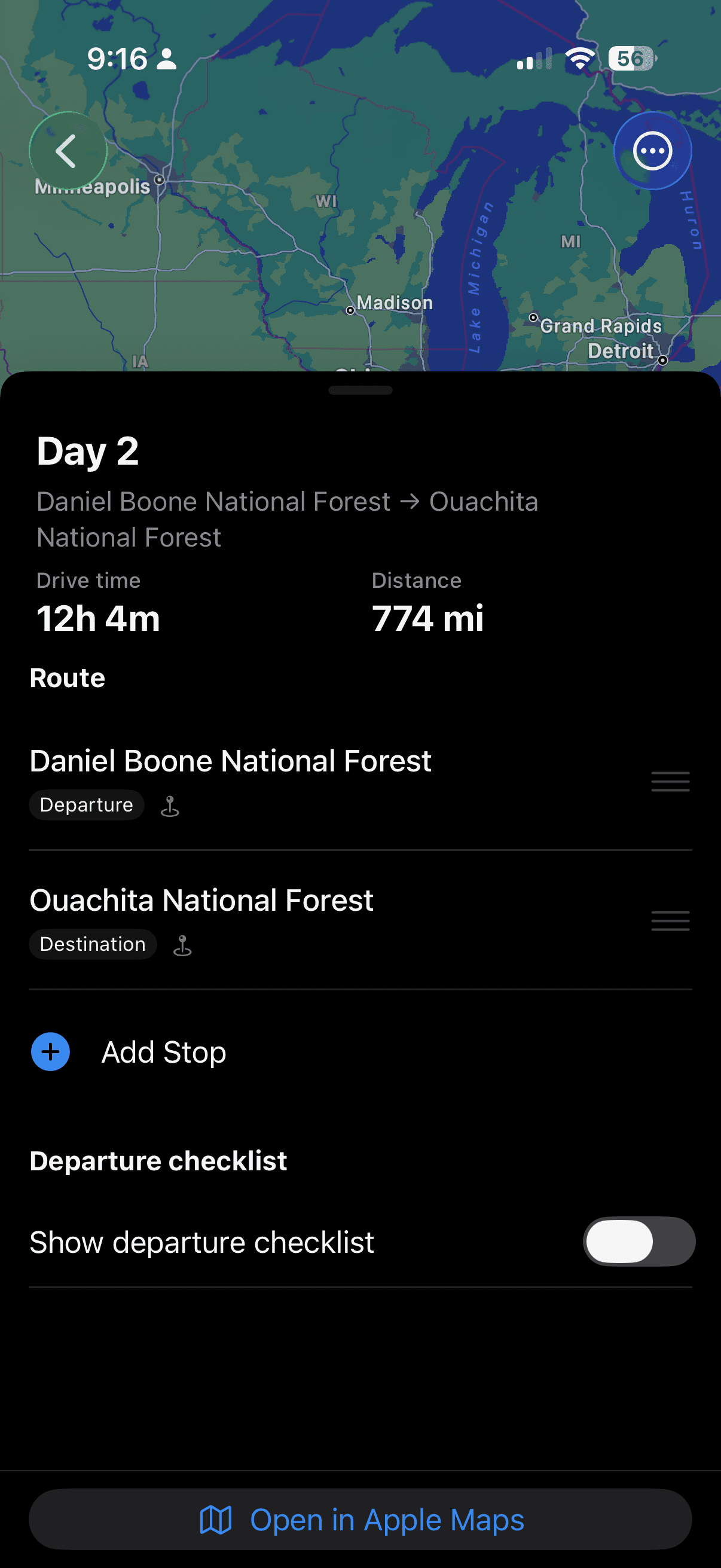
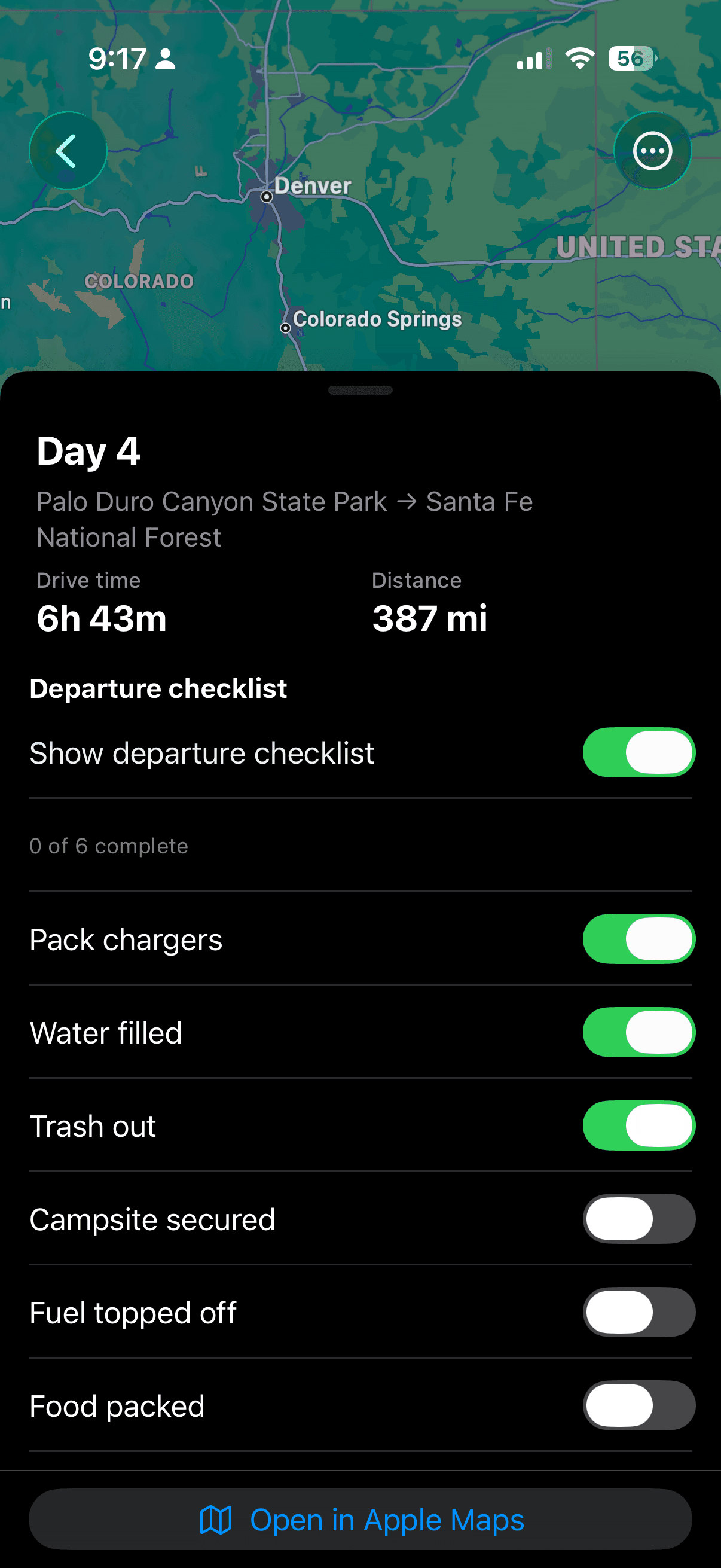
Built for trips that need a multi-day story
NavOps is the execution layer—not turn-by-turn navigation. You keep the storyline; Apple Maps handles the driving.
National park loops
Stack trailheads, lodges, and viewpoints by day so day three still makes sense after two long hikes.
Family cross-country
Share an iCloud-backed trip so everyone sees the same ordered plan—read-only for guests, with you in control.
Weekend loops
Two-day escapes still deserve structure: breweries, overlooks, and checkout times in one calm list per day.
Outcomes that matter on mile 200
Not another bucket list—an execution layer for the days you are actually in the car.
Always know what’s next
Lay out each day with ordered stops and notes so you are not guessing the plan from memory—or from a dozen map pins.
Built for the driveway and the desert
Keep planning and edits practical when towers disappear. NavOps is designed for real roads, not perfect Wi‑Fi.
Hand off to Apple Maps
When you are ready to drive, open the day’s route in Apple Maps—including multi-stop directions where Maps supports them.
How it works
Three beats: plan the arc, refine the day, drive with Maps.
- 01
Shape the trip
Create a multi-day trip and split stops by day so the story matches how you actually travel.
- 02
Dial in the day
Reorder stops, add context, and track progress as you go—so the list matches reality on the ground.
- 03
Drive it
Preview the day on a map, then jump into Apple Maps for turn-by-turn when you are behind the wheel.
Why not just use Google Maps?
Map apps are unbeatable for right now—but most are weak for multi-day storylines: what you are doing Tuesday afternoon, what order makes sense after lunch, and what still needs a reservation. NavOps is the layer that keeps the whole trip coherent, then hands off to Apple Maps when you need voice guidance and live routing.
Trust and approach
Built for real road trips
Prioritizes day-by-day clarity and on-the-ground usability—not a generic map pin dump.
Privacy you can read
Plain-language policy, no dark patterns, and support you can actually reach.
Honest about sync
iCloud and sharing are optional and trip-specific—so expectations match what the app really does.
Everything that powers the trip
The details, without the jargon.
Day-based itineraries
Structure long trips the way you live them: one day at a time, with a clear order of stops.
Map preview
See stops on a map when you have coordinates, so you can sanity-check the shape of the day before you roll.
Apple Maps handoff
Move from planning to navigation without retyping addresses—open the day in Maps and start the route.
iCloud, trip by trip
Turn on iCloud for the trips you want across devices. Keep other trips on-device if you prefer.
Share the plan
Invite people to follow along on iCloud-backed trips—with read-only participation for guests, as implemented in the app.
Quick answers
What if I switch phones?
Enable iCloud for the trips you want in the cloud; sign in on the new iPhone with the same Apple ID. Trips you kept local-only stay on the original device unless you move them—by design.
Can I plan without signal?
Core planning lists and edits are built for spotty coverage. Map tiles and live routing still depend on Maps and network when you preview or drive—we do not promise a fully offline map engine.
When the trip is the product—not the spreadsheet
The best road trip planner apps respect a simple truth: you are not planning a single A-to-B route. You are juggling fuel stops, scenic detours, hotel check-ins, trail heads, and the one bakery your partner will not forgive you for skipping. That is why NavOps centers a multi-day itinerary around days and ordered stops—so the plan stays legible on day four, not just day one.
When you are ready to move, the handoff matters. You should not re-type twenty addresses into a multi-stop Apple Maps session from memory. NavOps is built to bridge planning and navigation: keep the story in the app, then open the day in Maps when you want voice guidance and live routing.
If you have lived through spotty service outside national parks or on coastal highways, you already know why “works offline” is a loaded promise. We focus on keeping core lists and edits usable when the network is unreliable—without pretending maps never need data.
Get NavOps on your phone
Use the buttons for email or scroll to the panel below—we will get you on the list or answer questions directly.
Get on the list
We are wiring a self-serve signup. Until then, send one email and we will add you manually—same inbox as support, monitored daily.
Email to join the listSent to navops@opeqon.com—we reply when we add you.
What we are focused on next
- Sharper onboarding so your first trip takes minutes, not manuals.
- Deeper map previews where it helps—without bloating the core list.
- Clearer sharing cues so guests always know what they can edit.
Questions? Visit support or read the privacy policy.
NavOps is built for drivers and planners who want a calm multi-day story—not another map pin dump. Questions welcome at navops@opeqon.com.
Privacy and support
We keep public policies and a monitored inbox so you always know how data is handled and how to get unstuck.